
Manual quoting in freight forwarding drains time and money from small to mid-sized operations. Forwarders spend 15-20 hours weekly retyping carrier PDFs into their Transport Management Systems, with transcription errors causing margin leakage up to 3-5%. Workflow automation eliminates these bottlenecks, cutting data entry time by 75% while reducing costly mistakes by 80-90%.
Table of Contents
- Introduction To Freight Forwarding Quoting Workflows
- Prerequisites And What You Need Before You Start
- Step-By-Step Guide To Automating The Quoting Workflow
- Common Mistakes And Troubleshooting
- Alternative Approaches And Their Tradeoffs
- Expected Outcomes And Measurable Gains
- Streamline Your Freight Quoting With Quoteparser
- Frequently Asked Questions
Key takeaways
| Point | Details |
|---|---|
| Time savings | Automation reduces manual quoting work by up to 75% within the first month. |
| Error reduction | Quoting mistakes drop 80-90%, preventing margin leakage and revenue loss. |
| TMS integration | Compatibility with platforms like Magaya and CargoWise is essential for seamless workflow. |
| Implementation timeline | Expect 2-4 weeks for setup, validation, testing, and staff training. |
| Common pitfalls | Inadequate validation and poor training account for majority of post-automation failures. |
Introduction to freight forwarding quoting workflows
Small and mid-sized freight forwarders face a relentless quoting challenge. Every carrier quote from Maersk, MSC, or CMA CGM arrives as a PDF with rates, surcharges, and routing details. Your team then manually retypes this data into your TMS, one field at a time. This process is tedious and error-prone.
Manual quoting consumes 15-20 hours per week for typical SMB operations. Transcription mistakes create margin leakage of 3-5%, turning profitable shipments into break-even deals or outright losses. When a decimal point shifts or a surcharge gets missed, your bottom line suffers. These errors compound over hundreds of quotes monthly.
The workflow bottleneck limits scalability. As quote volume grows, you either hire more staff or accept longer turnaround times. Neither option improves profitability. Manual processes also frustrate employees who spend their days on repetitive data entry instead of building client relationships or optimizing operations.
"The repetitive nature of manual quote entry not only wastes time but also creates opportunities for costly human error that directly impacts our margins."
Forwarders operating without automation face three critical pain points:
- Lost productivity as staff dedicate entire workdays to data transcription
- Revenue erosion from transcription errors that go unnoticed until invoice reconciliation
- Competitive disadvantage when faster rivals deliver quotes in minutes while you need hours
Understanding these challenges is the first step toward freight quote automation benefits. The current manual approach simply cannot scale with modern freight forwarding demands.
Prerequisites and what you need before you start
Successful automation starts with proper preparation. You need digital carrier quotes in PDF format that contain machine-readable text. Scanned images or handwritten documents will not work without additional OCR processing. Most major carriers already provide structured PDFs that automation tools can parse effectively.
Your TMS platform must support data imports or API connections. Accurate digital carrier quotes and compatible TMS software like Magaya and CargoWise form the foundation of automated workflows. Check your current TMS version and confirm it accepts batch imports or real-time integrations. Legacy systems may require upgrades before automation becomes viable.
Stakeholder buy-in is non-negotiable. Your operations team, IT staff, and management all need to understand the workflow changes ahead. Resistance to new processes derails even the best automation projects. Schedule meetings to discuss benefits, address concerns, and establish clear success metrics everyone agrees on.
Pro Tip: Create a pilot program with one carrier or route before full deployment. This limited scope lets you identify issues and refine processes without disrupting your entire operation.
Timeline planning matters more than most forwarders expect. Budget 2-4 weeks for initial setup, configuration, validation testing, and staff training. Rushing implementation leads to validation gaps and user confusion. A structured rollout prevents the chaos that often accompanies major workflow changes.
Key preparation checklist:
- Verify all carrier quotes arrive in digital PDF format
- Confirm TMS platform compatibility and version requirements
- Document current manual workflow to identify automation insertion points
- Secure management approval and budget allocation
- Designate team members for testing and validation roles
With these prerequisites met, you are ready to select and implement automated quoting software that transforms your operation.
Step-by-step guide to automating the quoting workflow
Start by mapping your current quoting process in detail. Document every step from receiving carrier PDFs to final TMS entry. Identify which data fields get transcribed, how long each quote takes, and where errors most frequently occur. This baseline measurement proves automation ROI later.
Select automation software that aligns with your TMS platform and carrier mix. Implementation usually involves software setup, carrier quote parsing configuration, TMS integration, validation, and staff training. Request demos from multiple vendors and test with your actual carrier PDFs. Generic solutions often fail on carrier-specific formatting nuances.
Configure parsing templates for each carrier format you handle regularly. The software needs to know where rates, surcharges, container types, and routing information appear in each PDF layout. Major carriers maintain consistent formats, but smaller carriers may require custom template creation. Invest time here to ensure accurate data extraction.

Integrate automated outputs with your TMS through direct API connections or formatted import files. APIs provide real-time data flow but require more technical setup. Import files offer simpler implementation with batch processing. Choose based on your IT capabilities and quote volume needs.
Pro Tip: Run parallel workflows for the first two weeks, comparing automated outputs against manual entries. This validation catches parsing errors before they reach client quotes.
Validation testing is where most implementations succeed or fail. Process 50-100 real quotes through your automated system and verify every data point against the source PDFs. Check rates, surcharges, routing, container specifications, and validity dates. A single systematic error can corrupt hundreds of quotes if not caught during testing.
| Implementation Phase | Duration | Key Activities | Success Criteria |
|---|---|---|---|
| Assessment | 3-5 days | Process mapping, baseline metrics | Complete workflow documentation |
| Software Setup | 5-7 days | Installation, carrier template config | Successful test parse of sample quotes |
| TMS Integration | 4-6 days | API or import file configuration | Data flows correctly into TMS fields |
| Validation | 5-7 days | Parallel processing, error checking | 95%+ accuracy on production quotes |
| Training & Launch | 3-5 days | Staff onboarding, monitoring setup | Team processes quotes independently |
Train your entire operations team on the new workflow. Show them how to upload PDFs, review parsed data, handle exceptions, and monitor for errors. Create quick reference guides and designate super-users who can assist colleagues. Staff comfort with the system determines adoption success.
Monitor closely during the first month. Track processing times, error rates, and user feedback. Adjust parsing templates as needed and provide additional training where confusion persists. Automatic freight quoting setup delivers benefits only when your team uses it consistently and correctly.
Common mistakes and troubleshooting
Skipping validation testing causes the most automation failures. Forwarders eager to realize time savings often skip thorough accuracy checks. Inadequate data validation and poor staff training cause the majority of post-automation errors. Without validation, systematic parsing mistakes corrupt your entire quote database before anyone notices.
Inadequate staff training ranks as the second most common failure point. When employees do not understand how to review parsed data or handle exceptions, they either avoid the system or blindly trust incorrect outputs. Both scenarios create problems. Comprehensive training with hands-on practice prevents these issues.
Carrier format changes break parsing templates without warning. A carrier updates their PDF layout, and suddenly your automation extracts rates from the wrong fields. Monitor carrier communications for format change notices and test quotes from each carrier weekly to catch these breaks quickly.
"We discovered a 40% error rate three weeks after launch because we assumed the automated parsing was flawless. Always validate before trusting."
Common troubleshooting scenarios:
- Rates parsing into wrong currency fields: Verify currency detection logic and template field mappings
- Surcharges missing from parsed output: Check if carrier added new fee types not in your template
- Container specifications incorrect: Confirm equipment type abbreviations match between carrier PDFs and TMS
- Routing details incomplete: Validate port code extraction and verify against current carrier service strings
Exception handling procedures need clear documentation. Not every quote will parse perfectly. Define how staff should handle partial parses, ambiguous data, or complete parsing failures. Manual fallback processes must remain available and well-understood.
Regular template maintenance prevents drift between carrier formats and your parsing configuration. Schedule monthly reviews of parsing accuracy by carrier. Update templates proactively rather than waiting for errors to surface. This ongoing maintenance is essential for sustained automation success.
Monitoring dashboards should track key metrics: parsing success rate, time from PDF receipt to TMS entry, error frequency by carrier, and staff usage patterns. These metrics identify problems before they impact client quotes. Set up alerts for sudden accuracy drops or processing delays.
For persistent issues, consult your freight automation troubleshooting resources and vendor support. Complex parsing problems often require software updates or custom template logic that vendors can provide.
Alternative approaches and their tradeoffs
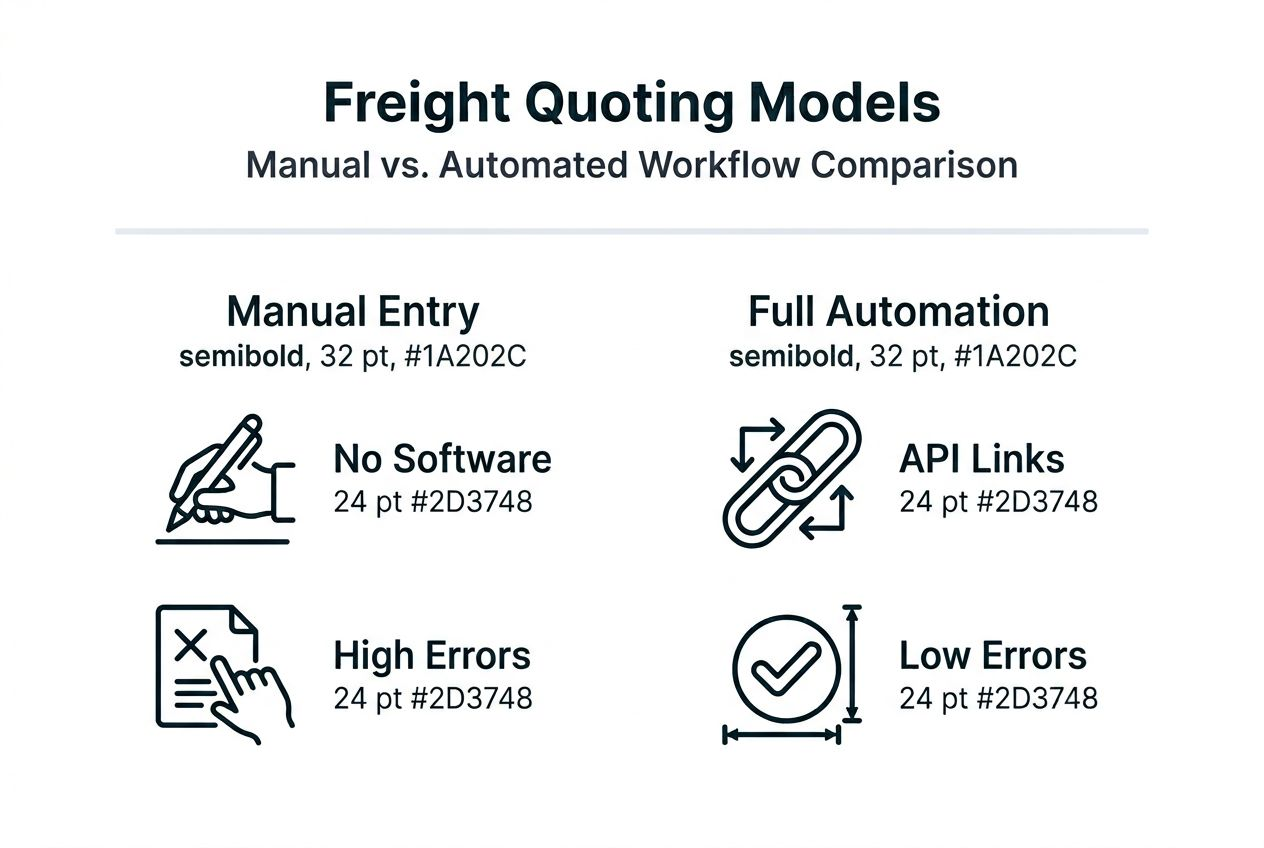
Three workflow models exist for freight forwarding quoting: manual, semi-automated, and fully automated. Each offers distinct tradeoffs in cost, accuracy, and operational complexity. Your choice depends on quote volume, team size, budget constraints, and growth plans.
Manual entry remains the default for many small forwarders. This approach requires no software investment and works with any TMS or even spreadsheets. However, it consumes 15-20 hours weekly and produces error rates of 3-5%. Manual workflows scale poorly and create employee burnout from repetitive tasks.
Semi-automated solutions use software to extract some data while retaining human verification for critical fields. Semi-automation reduces errors by 50% but retains manual steps, offering a middle ground between full automation costs and manual inefficiency. This approach suits forwarders with moderate quote volumes who want error reduction without major workflow overhaul.
Full automation extracts all data from PDFs and populates TMS fields with minimal human intervention. Staff only review exceptions or high-value quotes. Full automation cuts errors 80-90% with higher upfront costs but requires robust validation, TMS integration, and change management. This model delivers maximum efficiency for high-volume operations.
| Approach | Setup Cost | Monthly Time Savings | Error Reduction | Best For |
|---|---|---|---|---|
| Manual Entry | None | 0 hours | 0% (baseline) | Very low quote volumes, tight budgets |
| Semi-Automated | Low-Medium | 8-12 hours | 50-60% | Moderate volumes, limited IT resources |
| Fully Automated | Medium-High | 12-15 hours | 80-90% | High volumes, scalability focus |
Hybrid models combine automation for routine carrier quotes with manual processing for complex or non-standard quotes. This pragmatic approach maximizes ROI by automating the high-volume, repetitive work while preserving human judgment for unusual situations. Many forwarders find this balance optimal.
Key selection factors:
- Quote volume drives ROI, with full automation justifying costs above 200 quotes monthly
- TMS compatibility limits options, as some platforms integrate better with certain tools
- Team technical capability affects implementation success and ongoing maintenance
- Budget availability determines whether upfront automation investment is feasible
Evaluate your quoting workflow automation comparison needs against these models. The right choice aligns with your current operations while supporting future growth without constant workflow disruption.
Expected outcomes and measurable gains
Automation delivers quantifiable improvements across time efficiency, accuracy, cost savings, and employee satisfaction. Forwarders implementing comprehensive automation report up to 75% reduction in manual data entry time within the first month. Tasks that consumed 15-20 hours weekly now require 3-5 hours, mostly for exception handling.
Error rates plummet when automation replaces manual transcription. TMS audit logs verify 80-90% decrease in quoting errors after automation launch. Fewer mistakes mean fewer invoice disputes, reduced margin leakage, and improved client satisfaction. The financial impact compounds as error-free quotes protect profit margins on every shipment.
Cost savings materialize through multiple channels. Direct labor savings from reduced data entry hours typically exceed $1,000 monthly for mid-sized operations. Eliminating margin leakage accounting for 3-5% revenue improvement adds substantial profit recovery. Together, these gains often fund automation costs within 3-6 months.
Margin protection represents automation's most significant financial benefit. When quotes accurately reflect carrier costs plus appropriate markups, you stop losing money on transcription errors. A single missed surcharge can erase profit on an entire shipment. Eliminating these errors preserves margins across your entire quote volume.
Employee morale improves measurably when staff escape repetitive data entry. Team members redirect their time toward customer service, relationship building, and strategic work that grows the business. This shift increases job satisfaction and reduces turnover in an industry already facing talent challenges.
Measurable outcomes to track:
- Time from quote receipt to client delivery drops from hours to minutes
- Quote accuracy verified through TMS audit trails exceeds 95%
- Monthly error correction costs decrease by 80% or more
- Staff capacity increases allow handling 30-50% more quotes without additional hires
- Client satisfaction scores improve due to faster quote turnaround and fewer billing disputes
Competitive advantages extend beyond internal efficiency. Faster quote delivery wins business from rivals still using manual processes. Accuracy builds client trust and reduces the friction that causes customers to shop around. These intangible benefits compound over time.
Track freight quoting efficiency gains through your TMS reporting and operational dashboards. Document baseline metrics before automation, then measure monthly improvements. This data proves ROI to stakeholders and guides ongoing optimization efforts.
Streamline your freight quoting with QuoteParser
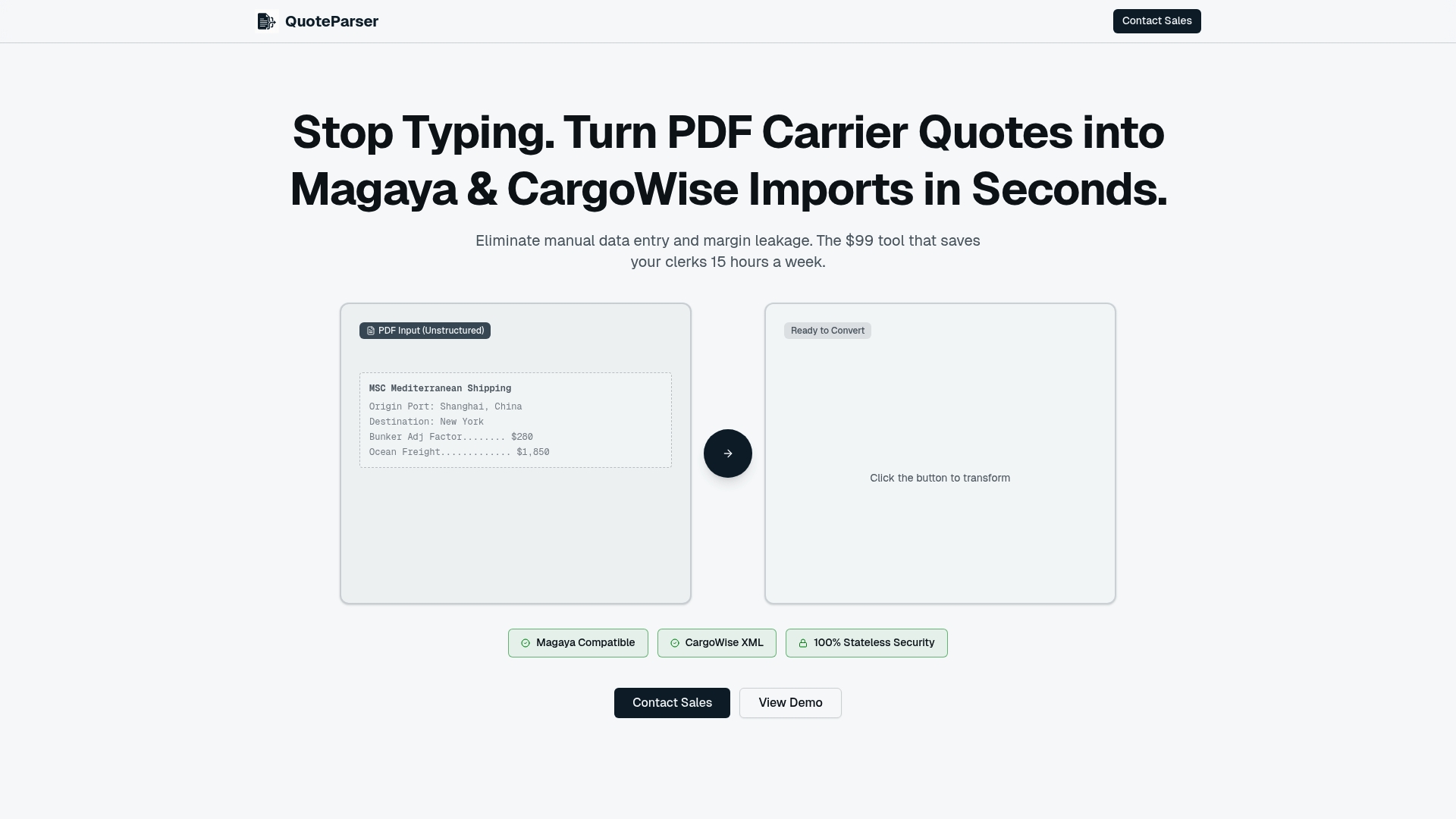
QuoteParser eliminates the manual drudgery of retyping carrier quotes into your TMS. Our platform extracts data from PDF carrier quotes and formats it instantly for Magaya Supply Chain and CargoWise One. You reclaim those 15-20 hours weekly while slashing error rates that erode your margins.
The setup process takes 2-4 weeks with our expert support team guiding you through carrier template configuration, TMS integration, and staff training. We have processed millions of carrier quotes from Maersk, MSC, CMA CGM, and dozens of other carriers. Our parsing templates handle the format variations that generic tools miss.
Your operations team will love the workflow simplicity. Upload a PDF, review the parsed data, and push it to your TMS with one click. Exception handling flags ambiguous data for manual review, giving you automation speed with human oversight where it matters. QuoteParser automation software delivers the margin protection and time savings your freight forwarding operation needs to compete and grow.
Frequently asked questions
What types of carrier documents can be automated with this workflow?
Most digital PDF carrier quotes with machine-readable text can be automated effectively. Automation works best when carriers use consistent, standard templates that do not change frequently. Scanned images or handwritten quotes require OCR preprocessing and may have lower accuracy rates.
How long does it take to implement automation in an existing quoting workflow?
Implementation including software setup, carrier template configuration, TMS integration, validation testing, and staff training typically requires 2 to 4 weeks. Timeline varies based on TMS complexity, number of carriers, team technical capability, and organizational readiness for workflow changes.
What are the most common errors after automation and how can I prevent them?
Data validation failures and inadequate staff training cause the majority of post-automation errors. Systematic parsing mistakes go undetected without thorough validation testing. Regular monitoring of parsing accuracy, proactive template updates when carriers change formats, and comprehensive user training with ongoing support prevent these issues from impacting operations.
Can automation be integrated with my existing transport management system?
Automation tools like QuoteParser support integration with popular TMS platforms including Magaya Supply Chain and CargoWise One through direct APIs or formatted import files. Consult your TMS integration compatibility requirements and software provider to confirm your specific system version supports the integration methods available.